Quick answer
The Applications folder is fine for file management. Launchpad is better for restoring the old browse-and-open rhythm.
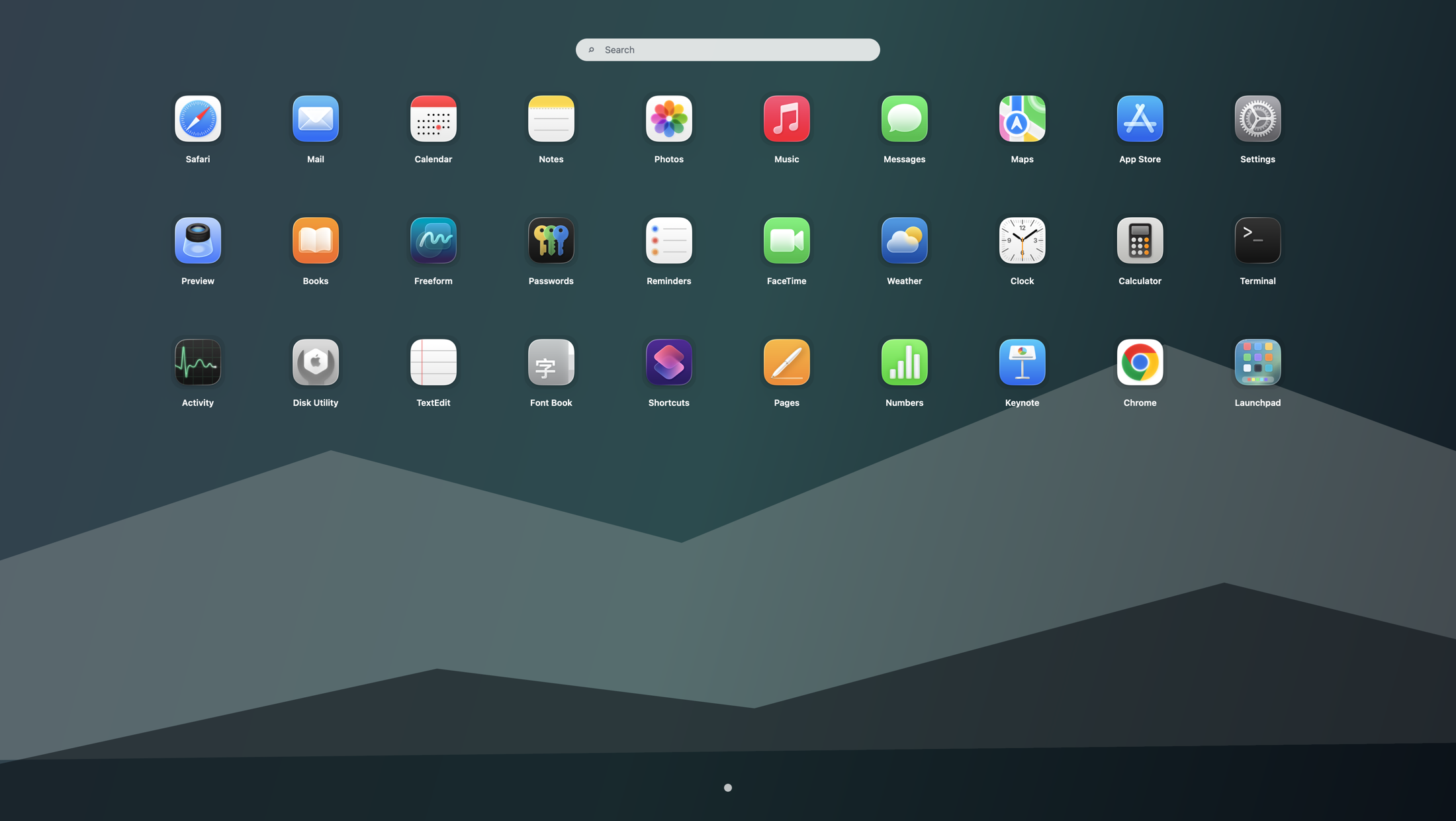
If your real question is "what should I use instead of Launchpad on Tahoe," Finder alone is usually not enough. Use Finder when you need to manage app files, Spotlight when you know the name, and Launchpad when you want a dedicated fullscreen grid for scanning by position, icon, and category.
You need one place with every app
After Tahoe changed the old launcher, many users fall back to Applications because it is the most obvious list of everything installed.
You do not remember exact names
Once the app count grows, scrolling Finder feels slower than scanning a stable grid of familiar icons.
You miss the calm fullscreen layer
Finder keeps you inside a file manager. The old Launchpad separated app selection from windows, files, and sidebar noise.
Why the Applications folder became the default workaround
Finder is built in, always visible, and already holds every app on the Mac. That makes it the first stop after searches like "no Launchpad on macOS Tahoe" or "how to show all apps on Tahoe". The problem is that Finder answers "where are the app files?" better than it answers "what is the fastest way to browse and open apps?"
When the Applications folder is enough
- You open only a few less-common apps from time to time.
- You are already inside Finder doing file work and want a quick launch.
- You prefer alphabetic lists and do not rely much on icon memory.
When Finder stops feeling like a Launchpad replacement
- You remember app positions or icon groups better than formal names.
- You want a fullscreen overview instead of a scrollable file window.
- You need a visual layer that works faster than Finder when the Mac has dozens of apps.
- You want the old "open first, choose second" workflow back instead of navigating folders and view modes.
A practical Tahoe workflow that uses both
- Keep the Dock for true daily favorites.
- Use Spotlight when you know the app name and want instant launch.
- Use Finder's Applications folder when you need to manage files, drag apps, or inspect installs.
- Open Launchpad when you want the old visual app-grid overview back.
This split is more realistic than forcing Finder to become an app launcher. If you want the wider comparison, continue with Launchpad alternatives on macOS. If the real issue is the overall stack, read the app launcher workflow guide. Chinese-speaking users can use the companion page macOS Tahoe 里“应用程序”文件夹能代替启动台吗.
Search terms this guide answers
FAQ
Can the Applications folder replace Launchpad on macOS Tahoe?
Only partially. It works for file access and occasional launching, but it does not recreate the old fullscreen Launchpad workflow for visual browsing.
Why does Finder feel slower than the old Launchpad for app browsing?
Because Finder is designed for files, not scanning a dedicated app grid. The old Launchpad gave you large visual targets, stable positions, and a cleaner fullscreen context.
What is the best workflow if I do not remember app names on Tahoe?
Use the Dock for favorites, Spotlight for known names, and Launchpad for browse-by-recognition. That matches how different launch tasks actually happen on a Mac.